
 EN
 Italiano
 Français
 Deutsch






Ordering takes a few minutes and you do not need to register. Here are the four steps, with the names of the buttons you will see, and what to do when you are sending a gift.
The four steps
Put the products in the cart and click Proceed to checkout. From there:
1. Personal information
- If you already have an account, click Sign in and enter your email and password.
- If not, you can order as a guest: all you need is your first name, last name and email. If you like, by choosing a password you create an account at the same time.
2. Addresses
Write the address where the parcel should arrive: if it is a gift, that of the person receiving it (how). Put in everything the courier needs:
- street, house number, staircase, floor and flat number;
- the name on the doorbell, if it is different from yours;
- postcode, town and province;
- a mobile number you can be reached on: the courier uses it to contact you.
If you need an invoice, for example made out to a company, reply to the order confirmation email with the invoice details: see the FAQ. The second address you can add here is the sender’s, for gifts (how).
3. Shipping method
The cart shows you the couriers available for your address, with the price already worked out. In the province of Lecce you will also find free collection in Casarano or Cutrofiano. Rates and times are on the shipping page.
In this step you can also:
- tick I would like my order to be gift wrapped and write a message for the person receiving it;
- leave us a comment on the order, for example a time when we can find you.
4. Payment
Choose how to pay: card, PayPal, MyBank or bank transfer (see the payment methods). If you have a voucher, enter it under Have a promo code? in the summary (how to use it). Then accept the terms and conditions of sale and click Place order.
Straight afterwards you receive a confirmation email with the summary, and another when the parcel leaves, with the number to follow it.
The minimum order is €10.00 of products, excluding VAT.
If you are sending a gift
At checkout you enter two addresses: that of the person receiving the gift, where the parcel goes, and your own, as the sender.
- Personal information: enter your own first name, last name and email, or sign in to your account. The order confirmation comes to you.
- Addresses: at the top enter the first name, last name, address and Mobile phone of the person receiving the gift, so the courier can contact them. First name and Last name are already filled in with yours: change them. Then untick This parcel is for me, click Continue and, in the form that appears, enter your own address: it will appear in the parcel as the sender, so the recipient knows the gift is from you. If you have an account with saved addresses, click add new address for the recipient’s address, then Sending it to someone else? and choose yours as the sender’s address.
- Shipping method: if you like, tick I would like my order to be gift wrapped and write the card.
This is how it looks at checkout (the names are examples):
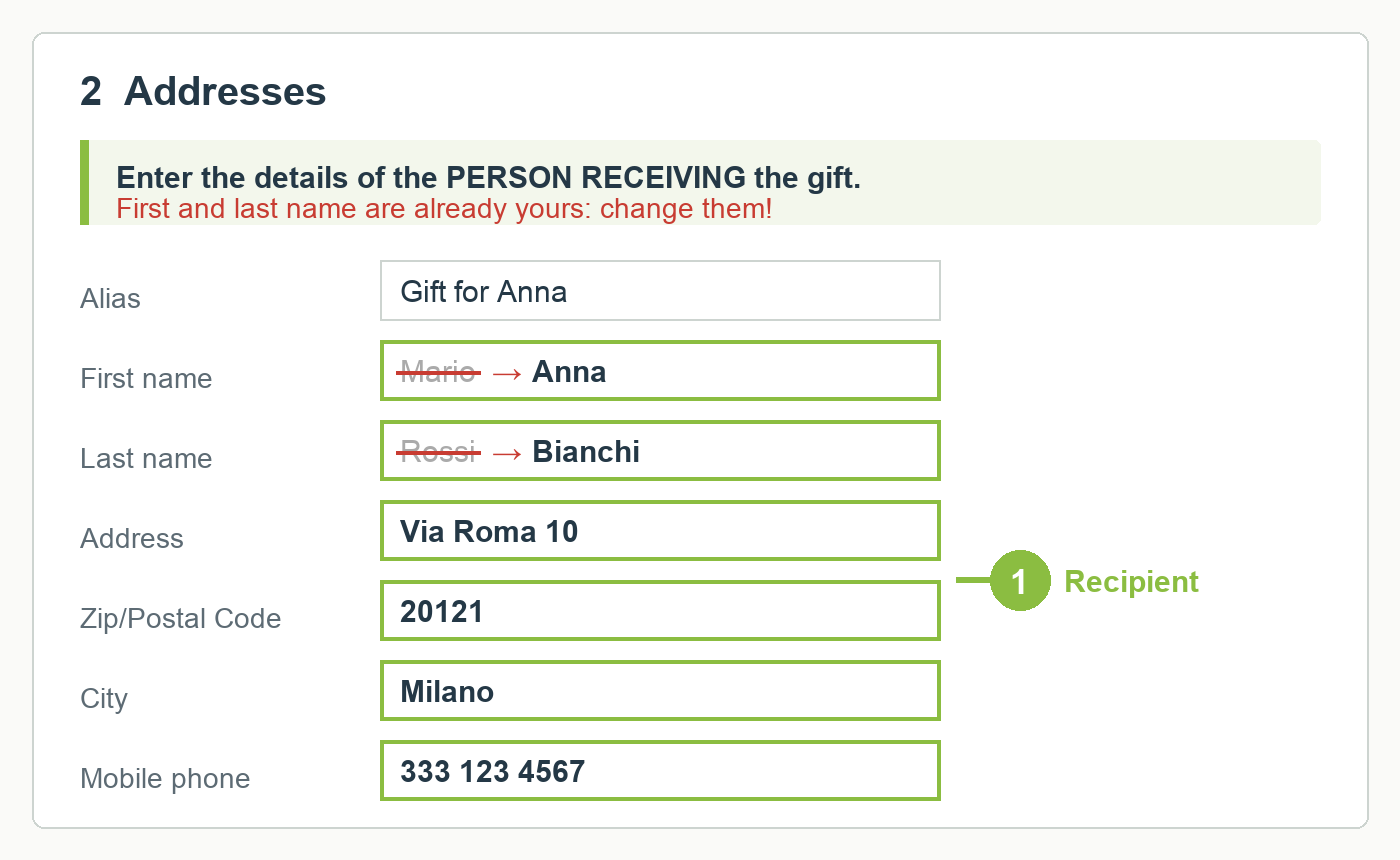
1 At the top, the details of the person receiving the gift. First and last name are already yours: change them.
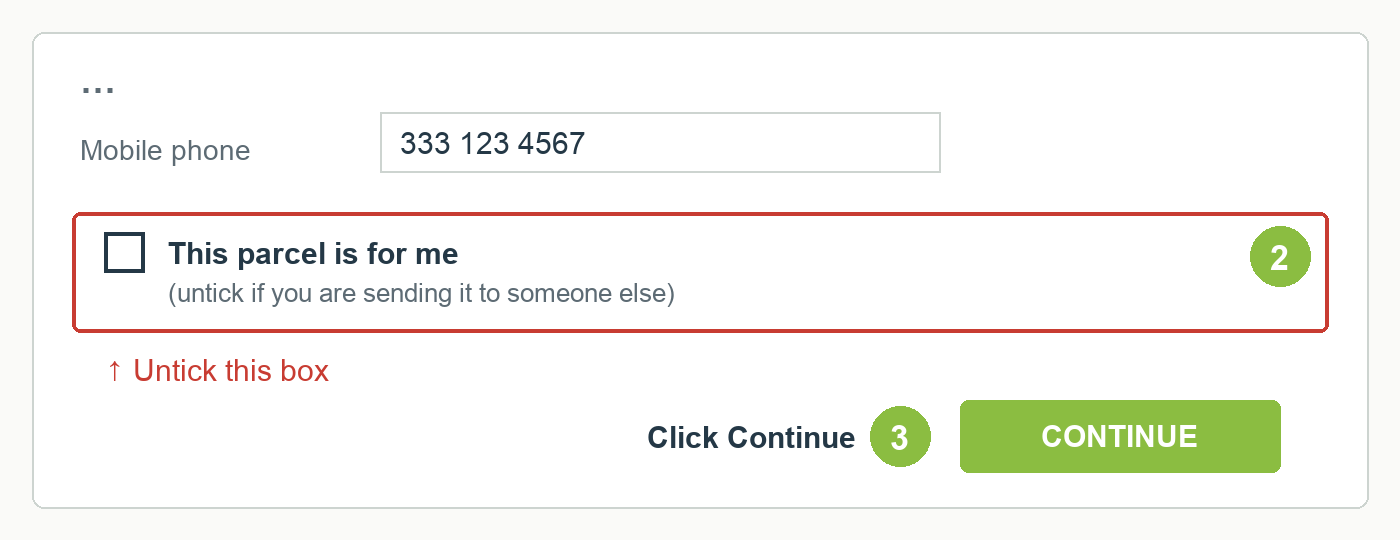
2 Untick the box, 3 click Continue.
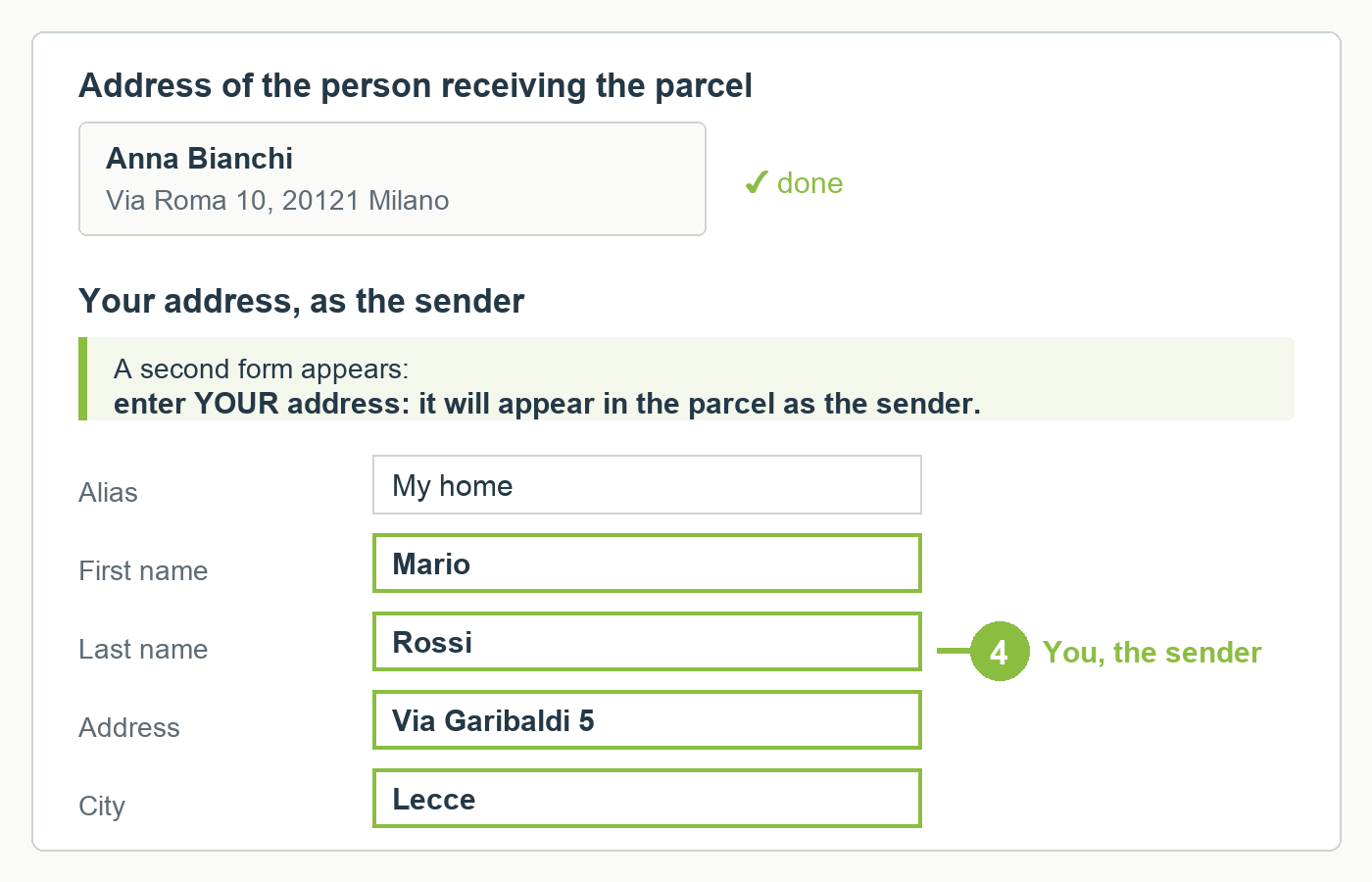
4 The form for your own address appears: you are the sender.
We do not put prices or receipts in a gift parcel. Each order goes to a single address: if the gifts are for several people, place one order for each.
Made a mistake?
If you notice a mistake in the address, write to us straight away on WhatsApp on +39 338 859 1106 or through the contact form: as long as the parcel has not left, we correct it without any problem. After that, the change goes through the courier and may have a cost.
Want to know what you can do with an account? Read registration and account.
